
Apple Search Ads Management
Apple Search Ads Management for the Searches Worth Paying For
Apple Search Ads management means choosing which App Store searches your app appears for, what you bid on each and which searches you shut out. We then judge the budget on whether the people it brings keep using your app, not on taps or installs alone.
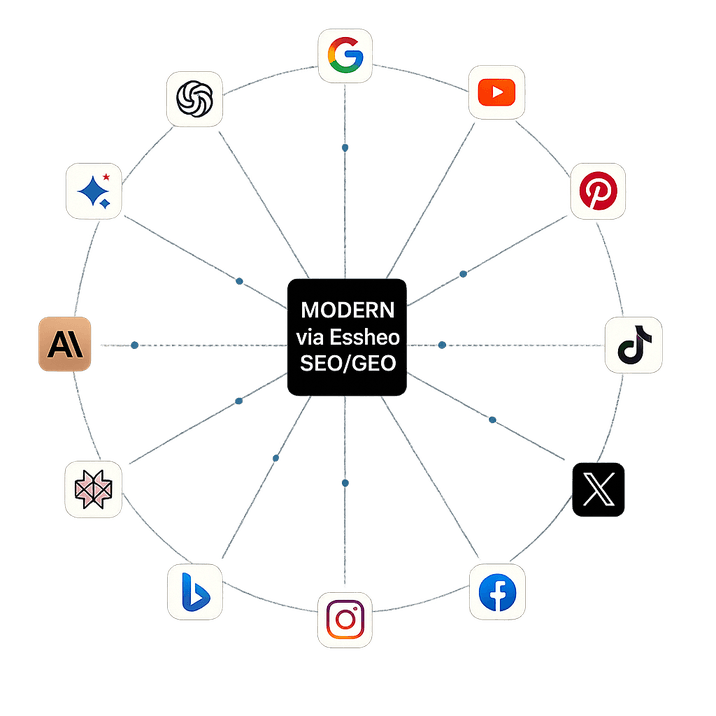
- Search platforms optimised, from Google to ChatGPT, Perplexity, Reddit and YouTube
- 24
Some of the brands we have worked with




Who this is for
Signs your Apple Search Ads need a specialist
Spend going on the wrong searches
Part of the budget goes on App Store searches that have nothing to do with what your app does. Match types and negative keywords decide which searches you pay for, and need regular revisiting.
A rival tops your category search
Search the App Store for the job your app does and a competitor sits at the top. Category terms, and rival brand names where bidding on them suits your app, can put you back in that choice.
One campaign holds every ad
Everything sits in a single search results campaign, and the account was never organised around Apple's other placements, such as the Search Tab and the Today Tab.
Listing and ads run apart
Your App Store listing is updated by one person and your Apple Search Ads by another, and neither sees the other's changes. The page your ads send people to should be planned with them.
What we do
How Apple Search Ads reach your users
Apple Search Ads shows your app to people while they are searching the App Store, and that timing is the appeal. Someone typing into the store's search box is usually close to downloading.
So Apple Search Ads management comes down to three choices: the searches you bid on, the searches you exclude, and whether your listing turns a tap into an install. Get the first two wrong and you pay for taps from people who wanted a different app. Get the third wrong and the taps you did want land on a listing that fails to persuade.
What our Apple Search Ads management covers
Five pieces of work run on every account, from keyword list to listing.
Campaign structure
Your account organised around Apple's placements, including search results, the Search Tab and the Today Tab, before a single keyword is bid on.
Keyword research and bidding
Research into the words people use when they look for an app like yours, then bids pitched to compete for those searches without paying over the odds.
Match types and negatives
Tightened every week, so your App Store ads stop showing on searches that were never going to produce a user for your app.
Competitor and category terms
Bids on rival apps' names and your category's wider terms only where they make sense for your app, with a plain recommendation when they do not.
Custom product page tests
We test custom product pages to find out what drives installs from your ads, and keep your App Store listing in step with the ads through our App Store Optimisation work.
Reports that look past the install
Impressions, taps and cost per install open every report. The figures that decide the budget come next: how many of the people your ads brought in are still using the app, and what they spend inside it.
A campaign that wins cheap installs from people who soon stop opening the app is a poor buy, however low its cost per install. Retention and in-app revenue, not the install count alone, decide where next month's budget goes.
Part of your wider paid media
Apple Search Ads sit inside our PPC Management work, beside any other app campaigns you run with us under App Advertising. One team manages them all and weighs each pound against the users and revenue it returns, and the senior specialist who builds your account is the one who runs it.
How it works
How we take on an Apple Search Ads account
No new budget is spent until tracking can show what users do after they install.
Related services
Other Paid Media services
Audio Advertising
Audio advertising puts your message inside podcasts and on streaming platforms such as Spotify, in moments when a screen ad cannot reach your buyers.
Bing Advertising
As your Bing Ads agency, we plan and manage campaigns in Microsoft Advertising, the platform behind Bing's ads, for a Bing audience your Google Ads often miss.
Display Advertising
Our display advertising agency puts your banners in front of two groups on the websites and apps they use: people who have not come across you yet, and people who visited your site and left.
Facebook Advertising
As a Facebook ads agency, we run campaigns on Meta's ad platform that reach new customers before they go looking and bring back visitors who left without buying.
Google Ads Management
A Google Ads account can burn a month's budget on the wrong searches in a week.
Instagram Advertising
Essheo is an Instagram ads agency for UK businesses that makes a separate version of each ad for the Feed, Stories, Reels and Explore, and turns product catalogues and creator posts into campaigns.
Insights
Latest guides

How to Measure Success From Generative Engine Optimisation
AI SEO Guides

What ROI Can Businesses Expect From GEO Services?
AI SEO Guides

How Much Traffic Can AI Search Generate for Your Business?
AI SEO Guides

Is GEO Worth Investing In? A Business Case for AI Search Optimisation
AI SEO Guides
How AI-Powered Search Engines Decide Which Brands to Recommend
AI SEO Guides
Google’s AI Overviews: What They Mean for Your Business
AI SEO Guides
FAQs
Frequently Asked Questions
At the head of the App Store's results for searches you bid on, and in other placements Apple offers, including the Search Tab and Today Tab. We plan your account's campaigns around these placements before bidding on any search.
By working on both sides of the tap. Before it, bids, match types and negatives govern which searches show your ad; after it, custom product pages and your App Store listing govern how many people install. Our Apple Search Ads management adjusts the search side weekly and plans listing changes alongside it.
Through keywords and bids. You pick the App Store searches you want and bid on them, while match types and negative keywords narrow which searches trigger your ad. Rival app names and category terms can be bought where they suit your app. Apple runs the store, so nobody can promise the top spot.
Use AI tools for the keyword research and reporting, and keep bids and targeting manual. That is how we run it: the tools speed up finding search terms and assembling reports, while a media buyer with 8+ years' experience sets every bid and targeting choice. We use AI for speed, not judgement.
It can be, but cost per install alone will not tell you. A cheap install is worth little if the person soon stops using the app, so we report retention and in-app revenue beside every install figure. If your users stay and spend, it earns its place; if not, we will say so.
It is a paid ad for your app inside Apple's App Store, a product Apple's own site now lists under the Apple Ads name. Google App Campaigns spread across Google's broader network, whereas this ad never leaves the App Store.
Speak to us today to get started